
Orphaned Fills & Strokes
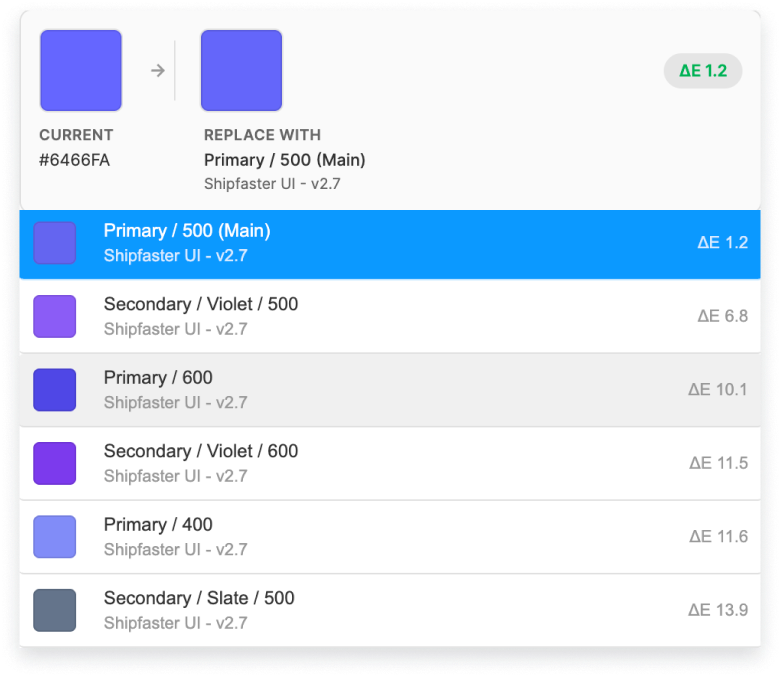
Every fill and stroke not connected to a library style is flagged so raw hex values do not hide in production screens.
Everything you need to ship clean, consistent design files.
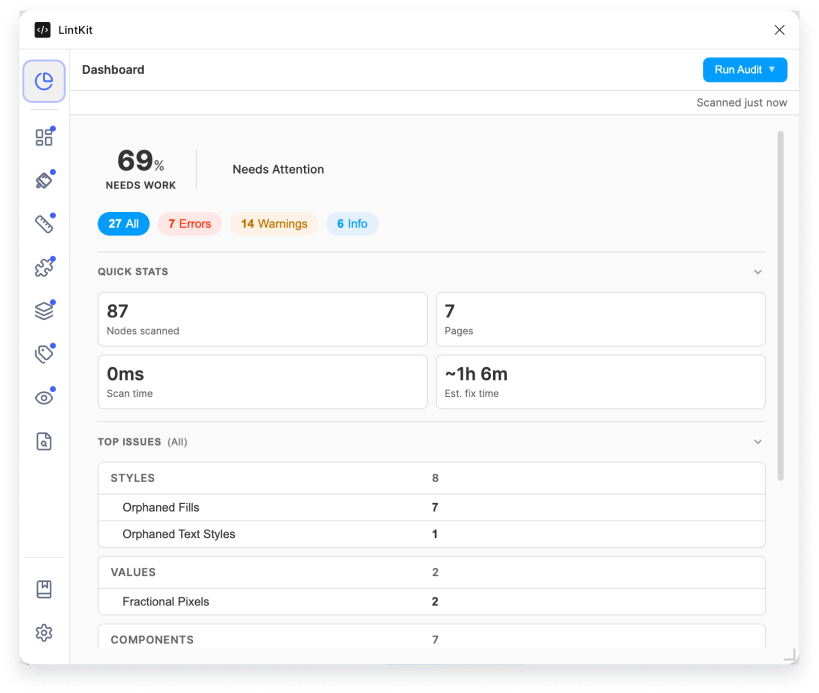
Catches every unlinked color, text style, stroke, and effect before they become handoff problems.
Every fill and stroke not connected to a library style is flagged so raw hex values do not hide in production screens.
Uses Delta E 2000 color science to rank perceptually closest matches instead of nearest hex values.
Text layers using raw font settings instead of named styles are surfaced with nearest library matches ready to apply.
Shadows, blurs, and layout grids that are not using a library style are detected alongside colors and type.
Enforces your spacing system, radius scale, and pixel precision so every value is intentional.
Gaps, padding, and margins outside your defined scale are flagged with the nearest valid value already suggested.
Border radii outside your scale are caught and can use Tokens Studio radius tokens or a manual scale.
Sub-pixel values like 23.5px are surfaced so you can round to whole pixels for cleaner rendering.
Stroke widths outside your scale are flagged to keep every dimension mathematically consistent.
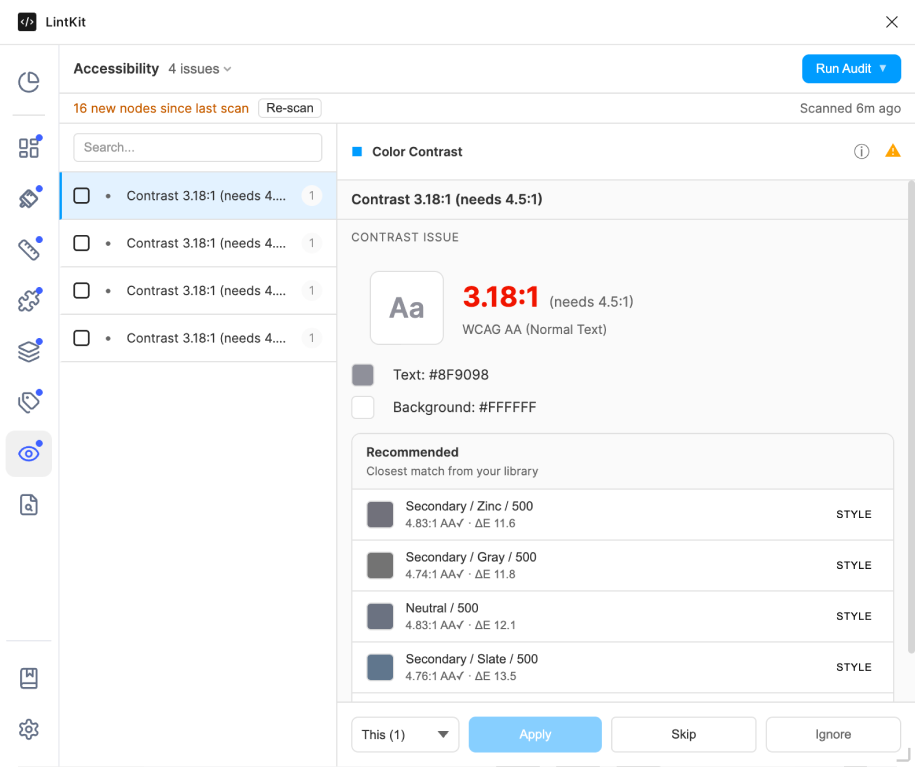
WCAG contrast checking with intelligent background detection for fewer false positives.
Every text layer is validated against AA and AAA thresholds with the exact ratio and distance to pass.
Traverses the rendered layer stack to identify true backgrounds instead of misreading transparent overlaps.
Recommends the closest passing color from connected libraries to keep fixes on-brand.
Broken instances, version drift, and library governance surfaced in every scan.
Finds components detached from their library masters before they drift too far to recover.
Detects out-of-date component instances and highlights what changed before you update.
Flags component hierarchies that exceed a configurable depth so layers stay readable.
Hidden layers, empty groups, and default names are surfaced so files stay clean for handoff.
Score your file, fix issues in bulk, and export reports in one workflow.
A severity-weighted score from 0 to 100 shows file health with issue groups and estimated fix time.
Fix all matching findings at once or step through one by one with apply, skip, and ignore controls.
Scope any audit to your current selection for fast checks on a single component or screen.
Download full audits as JSON, CSV, or HTML for design reviews, handoffs, and tracking.
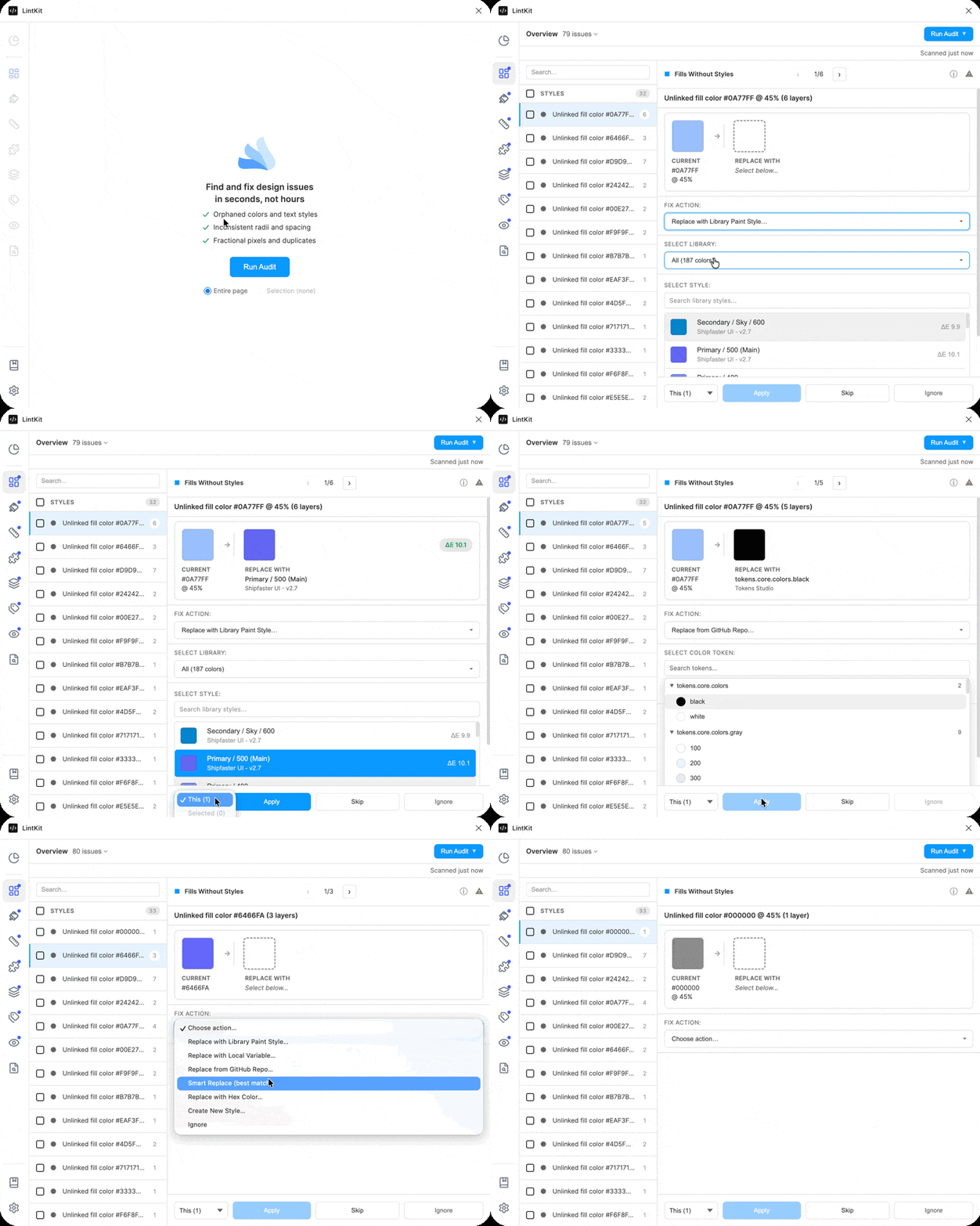
Catches every unlinked color, text style, stroke, effect, and grid in one scan
Intelligent color science with ΔE2000, not hex guessing
Enforces your spacing system, radius scale, and pixel precision
Broken instances, deep nesting, library governance
Auto-layout suggestions, grid alignment, absolute positioning
Hidden layers, empty groups, default names gone
WCAG contrast checking with intelligent background detection
Score, handoff badge, exportable reports
Fix all 47 orphaned blues at once, not one at a time
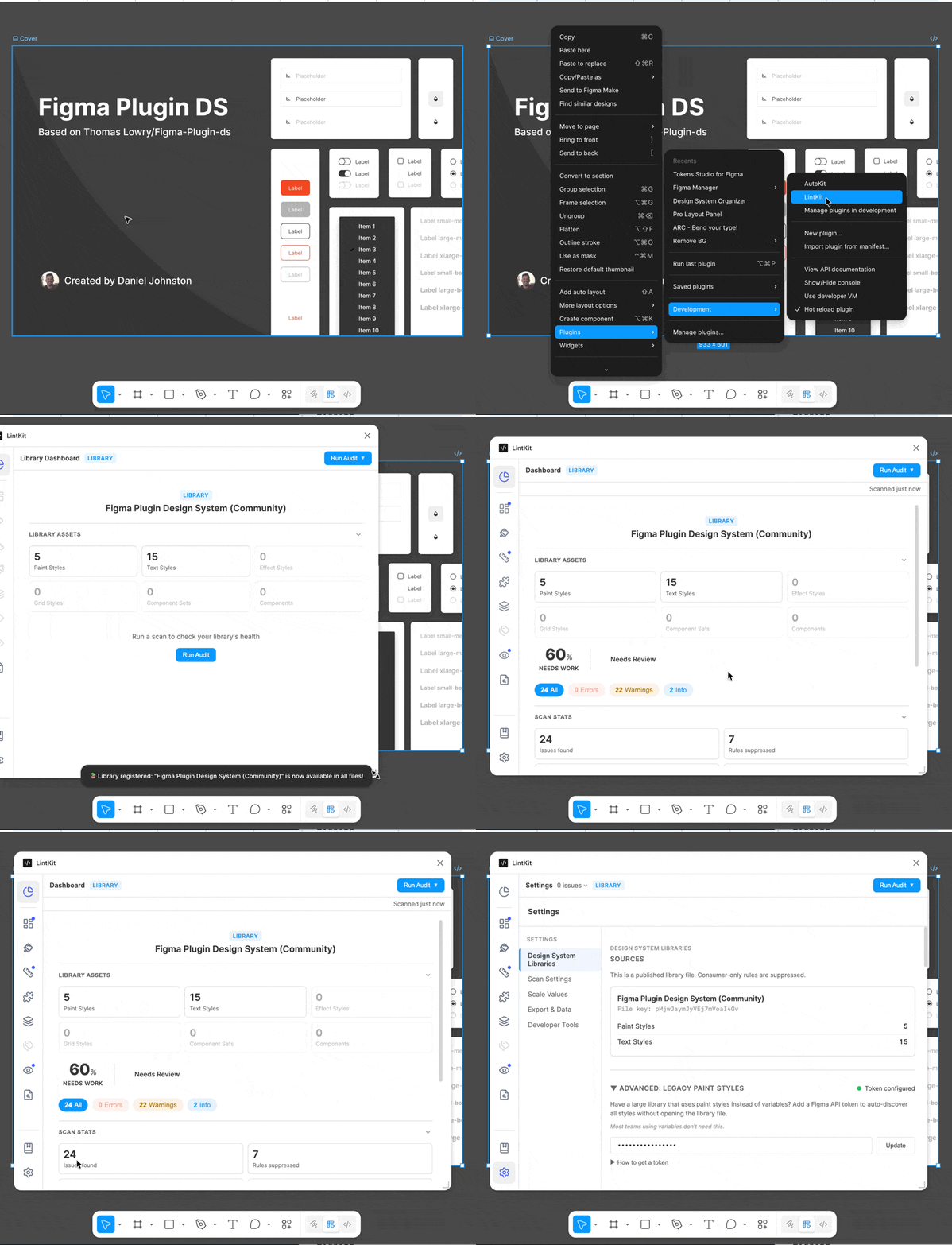
Auto-configures lint rules from token definitions and connected libraries so your checks always run against real source of truth.

Auto-configures rules from token definitions using API sync or file detection so colors, spacing, and radii stay aligned.
More Info
Syncs tokens from a single file or multi-file folder in your repository, including private repos.

Add libraries by URL or run LintKit inside the library file — every rule compares against real source-of-truth assets.